“Thank you so much. Real customer service. Amazing.”
“”
“I was thrilled to find this program (IRender nXt) that I found affordable as well as easy to learn how to use.”
“IRender nXt only took me a few days to fully understand and learn all about lighting before I was producing renderings for our clients here at Hussmann. It’s incredibly powerful and the easiest renderer to learn and use for SketchUp.”
“Thank you very much for your help, I really appreciate it and I am impressed with your company service.”
“I bought a license of one year through my professional high school, it works very well.”
“It (IRender nXt Cloud Rendering Service) has definitely added value to our business in terms of the amount of designs we can turnaround simultaneously. It is also great to use when travelling as everything is cloud based.”
“I just love how your programs keeps on having better updates each month and one of the best customer support on forums.”
“Over the years I’ve found that Render Plus customer service has always been exceptional”
“.. and am so impressed with the customer support that you have given me. Rest assured that I will be certainly recommending to fellow SU (SketchUp) users to buy your integrated plugin for rendering”
“Your program (IRender nXt) is very nice and our customers are always pleasantly surprised.”
“ArielVision is a great product”
“Just wanted to say I’ve really enjoyed using IRender nXt. It’s a very quick and easy rendering plugin”
“I fully expected to consign IRender to the deeper recesses of my ‘C’ drive. What I did not expect, was the level of enthusiasm I have come away with from this first project. I now want to learn all I can about SU and IR. I have produced a reasonable render for my client. Yes there are things I have done which I am not sure how they worked out as they have and will probably not work the same way with my next model.
It has been a long time since I downloaded a piece of software which not only worked out of the box, but filled me with an enthusiasm, which has been missing for a long time.”
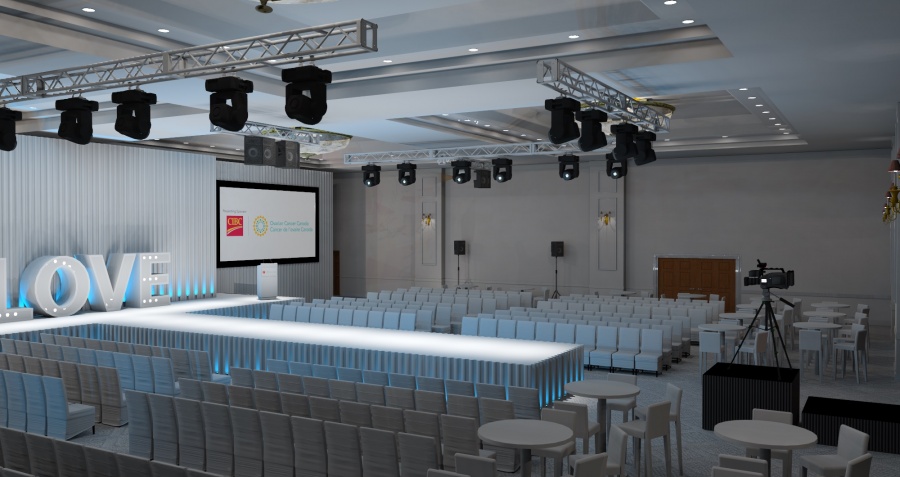
“Client’s love seeing the designs and find it helpful to visualize the completed spaces for their events.”
“Thank you for your help, this new addition (Grass/Carpet Maker in IRender nXt) is great.”
“You have done a perfect program (ArielVision) for SketchUp users … simple, clear, and easy.”
“Your renderer is the best one I’ve ever used for SketchUp. IRender gives enough control over render settings and materials without making it rocket science.”
“It doesn’t hurt that it’s very affordable!”
“I always enjoy when a client is amazed that their house looks “just like the renderings!””
“I find it easy to apply what I need to get the level of photorealism I want, and the results are spectacular.”
Key Features

SketchUp Integration
RpTools’ functions are easy to learn and use alongside SketchUp’s functions. You’ll be up and running in no time making the most of the additional controls you have at your fingertips.
Material Selection and Placement
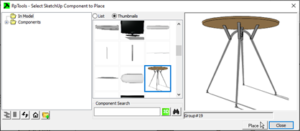
Place Material uses an Explorer type tree to select materials and place them directly on faces without having to open components and groups for edit. The tool “drills” into the model to determine which face, (or component or group), to change to place the material.
Non-photorealistic Effects
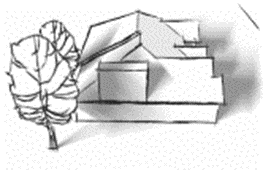
Quickly create non-photorealistic renderings that help your designs standout with your clients. Includes Soft and Sketchy Shadows, Sketchy Textures, Soft Edges, Crayon Colors, Save Model as Image, and Tileable Texture.
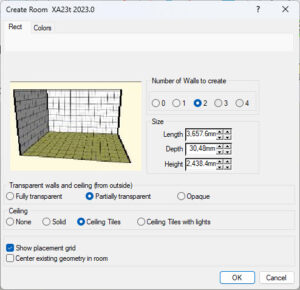
Construction Wizard
Quickly create a room or garage using the simple Wizard template.
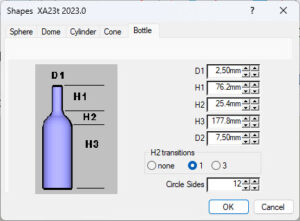
Proxy Components & Other Functions
More tools that extend SketchUp’s capabilities to enhance your creativity and productivity. Includes Alpha Channel, Alpha Images, Polyline, PDF Plot and Shapes Wizard.
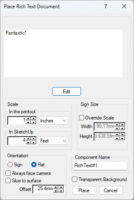
Text Placement
Rich text placement allows you to use text fonts, sizes, colors, and images to create and render 2D text – in plan or elevation – in your SketchUp model.
Showcase